Choose your deposit route
Already have supported crypto? Use Transfer Crypto. Funding from fiat? Use Card, Apple Pay, Google Pay or another cash option if it appears in the live Deposit panel. Using BTC? Check whether Lightning appears in the current flow.
Card or wallet payment shown in Deposit
- Best for
- A first funding attempt when a cash option is displayed for your account.
- Timing
- Check the quote and the completion screen; provider processing can vary.
- Where KYC may happen
- The payment or on-ramp provider may request identity checks, depending on its rules, payment method and location.
Transfer Crypto
- Best for
- A wallet or exchange balance in an asset and chain shown in your current Deposit flow.
- Timing
- After the source transaction confirms, Polymarket says to refresh; bridge transfers can take a few minutes or longer with network conditions.
- Where KYC may happen
- Polymarket’s transfer screen is not itself an exchange identity check. An exchange used to acquire or send the crypto may have its own KYC rules.
Deposit with cash options
If Card, Apple Pay, Google Pay or another cash option appears in your Deposit panel, you can use it directly. Check the final quote, fees and amount credited before confirming.
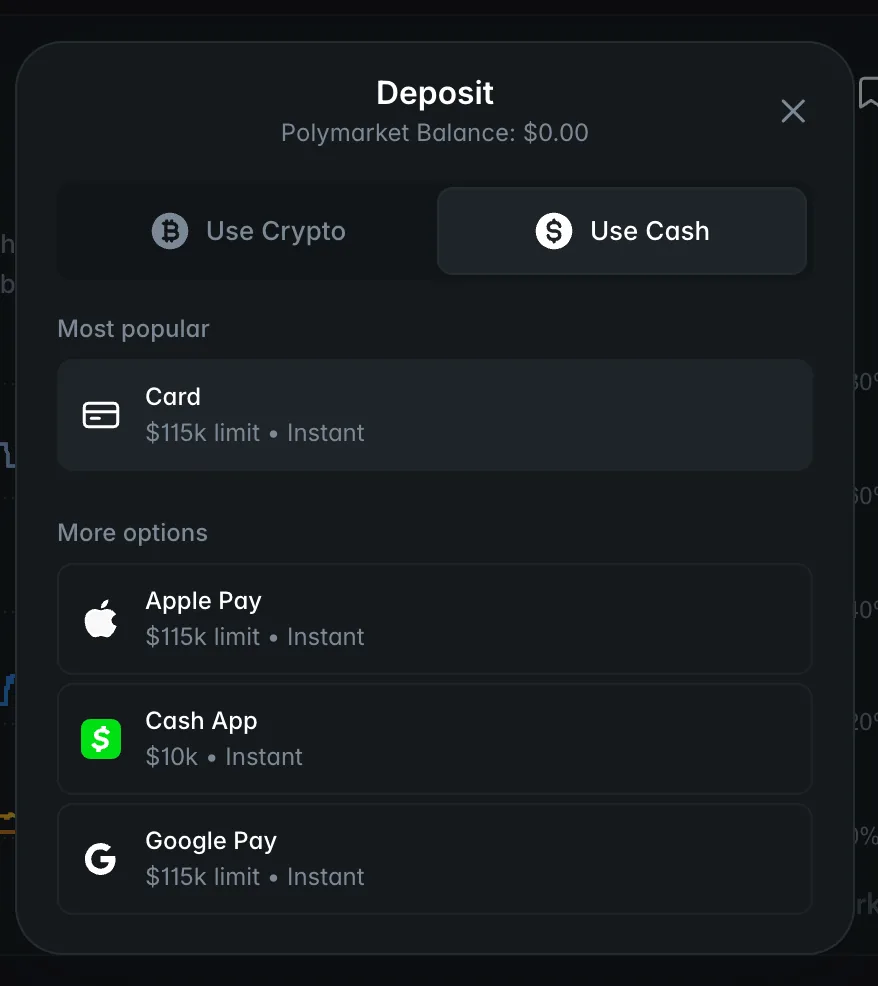
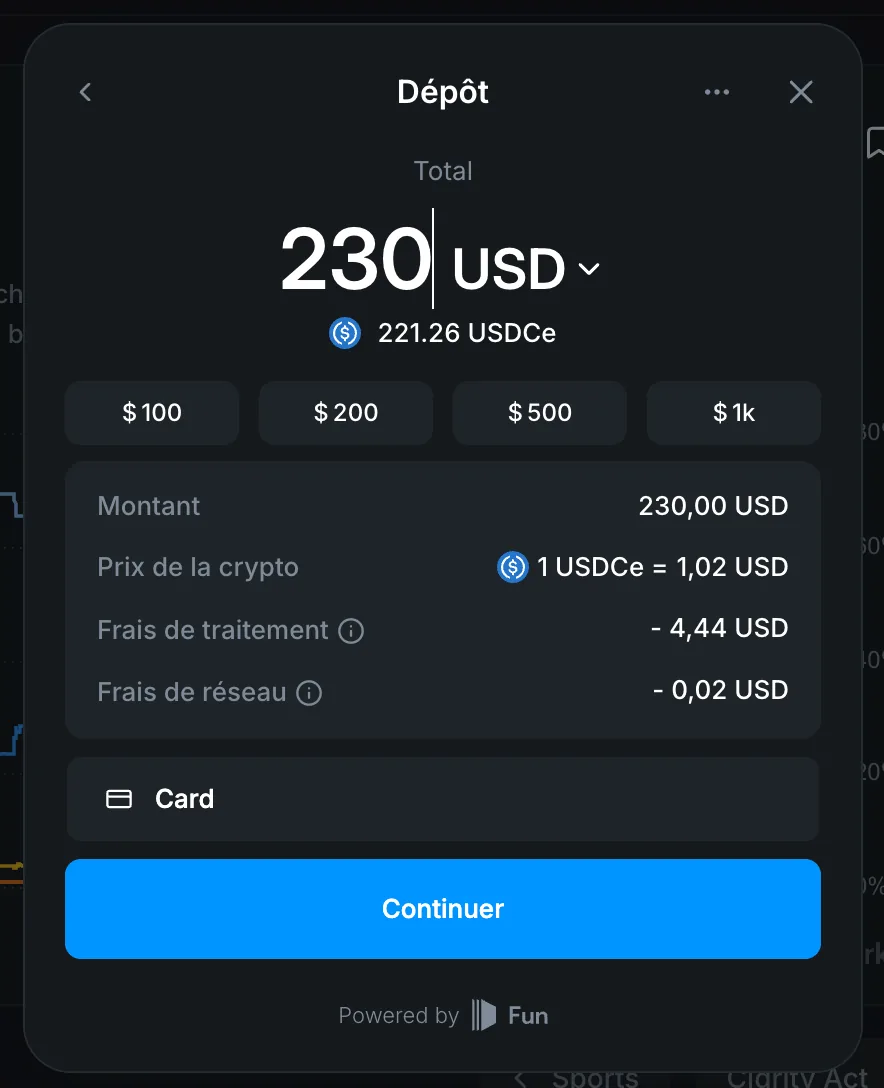
Deposit crypto directly
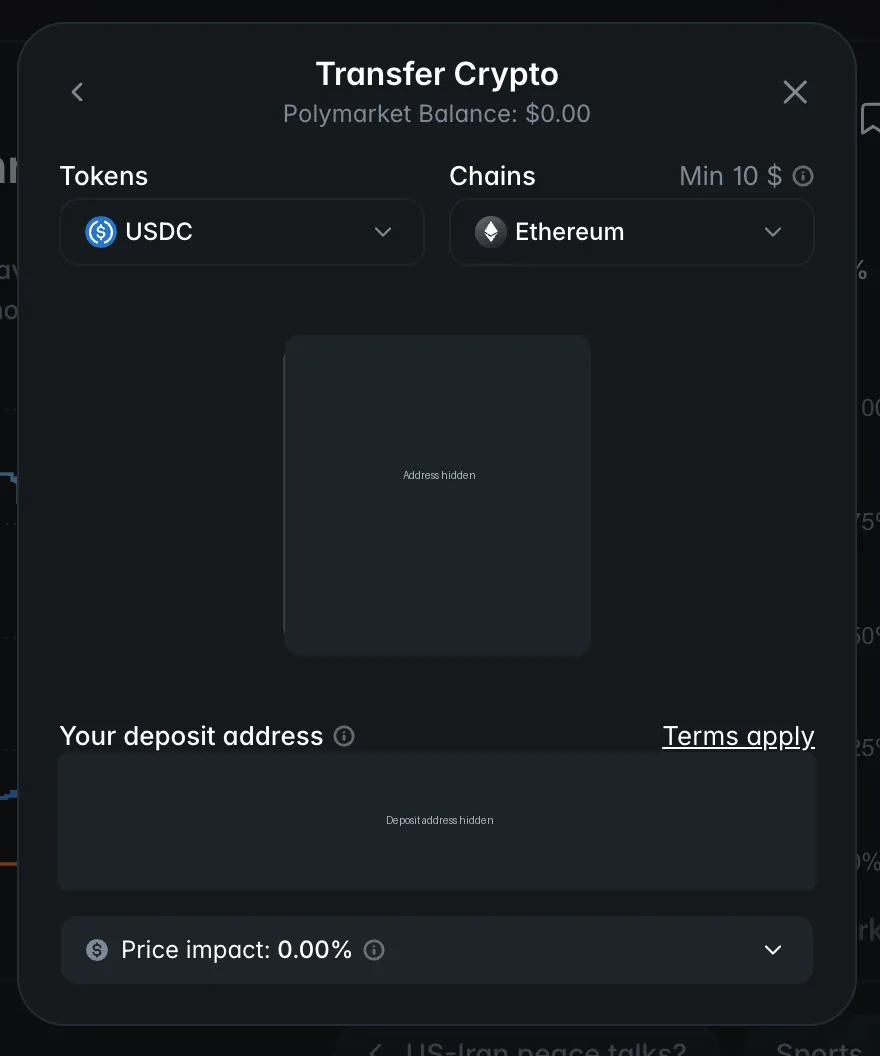
To deposit crypto directly, choose Transfer Crypto, select the exact asset and network, then use the QR code or deposit address shown in the current panel. When I checked the flow, I found it straightforward. The mechanics are simple; a wrong network still matters.
Polymarket’s bridge documentation lists Bitcoin as a source chain and describes conversion of supported deposits to pUSD on Polygon for trading. Use the live selector and address in your own account, not this guide as an address book.
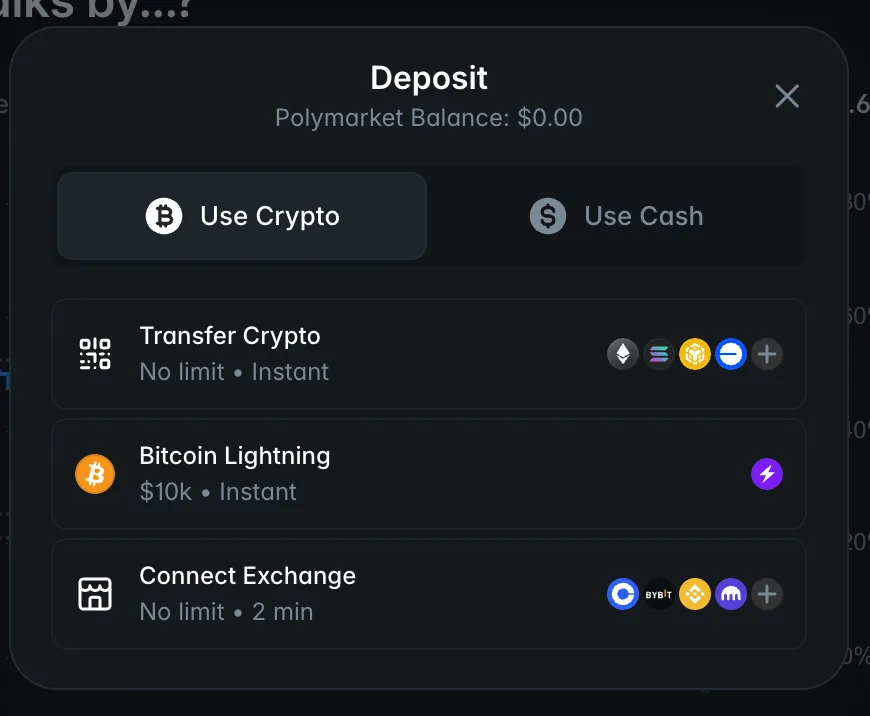
Open Deposit
Sign in through your normal Polymarket login and select Deposit.
Choose a funding method
Select Transfer Crypto when you are sending supported crypto from a wallet or exchange.
Select the token and network
Use the exact asset and chain shown in your live Deposit panel.
Check the minimum
Read the current minimum before preparing the transfer.
Scan the QR code or copy the address
Use only the address displayed in your own current panel; never a saved address or tutorial screenshot.
Send the transfer
Before confirming in the sending wallet or exchange, match token, network and deposit address exactly.
Wait for confirmation
Allow source-chain confirmation and bridge processing to finish.
Check your Polymarket balance
Refresh Polymarket and confirm the balance, not only the sending-wallet status.
Deposit→Transfer Crypto→match details→send→refresh
Where KYC may happen
A direct crypto transfer does not itself add a separate payment-provider KYC step. If you buy crypto or use a card/on-ramp provider, that provider may apply its own identity requirements.
Polymarket geographic restrictions are separate. Check eligibility before funding.
If a deposit is missing
Do not send the deposit again just because the balance has not updated yet. Check the original transaction, its confirmation, token, network, amount and current minimum. Refresh Polymarket. If a confirmed Transfer Crypto deposit is still absent after 10 minutes, contact official support with the transaction hash, token, network and approximate amount.
Never share a seed phrase, private key or login code while troubleshooting.
Open Polymarket Deposit
Use the live Deposit panel for the route, quote, asset, network, minimum and address that apply to your account.
Check eligibility before funding.
PolymarketExplained may earn a referral commission if you use this link, at no additional cost to you.
Frequently Asked Questions
Do I need a credit or debit card to deposit on Polymarket?
No, you do not need a credit or debit card to deposit on Polymarket. You can use Transfer Crypto, and cash/payment methods such as card or wallet-based payments may also appear in the live Deposit panel.
Can I use Apple Pay or Google Pay to deposit on Polymarket?
Yes, you can use Apple Pay or Google Pay to deposit on Polymarket when those options appear in your Deposit panel. Availability can depend on the account, location and payment provider.
Can I deposit crypto directly to Polymarket?
Yes, you can deposit crypto directly to Polymarket. Choose Transfer Crypto, select the exact token and network, then send to the deposit address shown in the live Deposit panel.
Can I deposit Bitcoin or use Bitcoin Lightning on Polymarket?
Yes, Polymarket supports Bitcoin deposits and Bitcoin Lightning. When I checked the BTC deposit flow on August 17, 2026, Lightning appeared directly with a displayed $10 minimum. Use the options currently shown in your own Deposit panel.
How long does a Polymarket deposit take?
A Polymarket crypto deposit usually requires blockchain confirmation and bridge processing, so it can take a few minutes or longer depending on network conditions. Refresh after confirmation, then trace the transaction before sending again.
My Polymarket deposit is missing. What should I do?
If your Polymarket deposit is missing, check the original transaction before sending anything again. Check its confirmation, token, network, amount and minimum, then contact official support with the transaction hash if it remains absent.
Does depositing on Polymarket require KYC?
A direct crypto deposit to Polymarket does not automatically require a separate KYC step. A card provider, on-ramp or exchange used to obtain or send the funds may have its own identity requirements.